Author: Bill Ruhsam

  • Lantern Idea

    IMG_1363

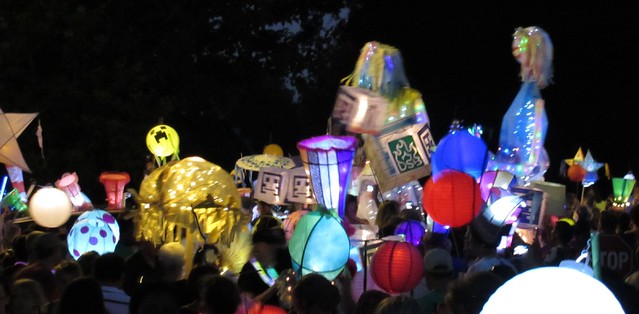
    This image I took at the Atlanta Beltline Lantern Parade last Saturday has inspired me to do a lantern for next year. Notably, a Creeper from Minecraft. The reason for the inspiration can be seen in the left-center of the image. The little glowy-green sphere is Creeper.

    I hateses these guys.
    I hateses these guys.

    Minecraft is a wonderfully fun and addictive game where you build stuff and dig and can do basically anything you want to; there’s no set goal. A Creeper is a thing that comes out at night and, if you get close to it, sneaks up on you and blows up, taking you and the immediate vicinity with it.

    A Creeper lantern or costume should be fairly easy as they’re blocky. No curves required. And I can carry a maraca or rain stick to simulate the “sssssssss” noise they make as the approach to detonate. Could be something for Dragon*Con, too!

    If I get to making it, I’ll post pictures (of course).

    Update: Griffin could be dressed as a Chicken!

  • Grice Consulting Group

    WMR_BusinessCard_Grice

    As of last Tuesday, I have a new position with Grice Consulting Group. I am the Director of Traffic with the official title of Vice President. ((The most interesting part of this story was when I came by to drop off my paperwork and the accounting manager asked me, “Are you the new VP?” That sounded very strange to my ears.)) I will be running the traffic engineering practice from my new office in Midtown Atlanta (the One Atlantic Center building at the corner of West Peachtree and 14th).

    I am excited to be here and starting my tenure with Grice. Right now I’m still trying to wrap my head around the existing staff and projects in order to keep things turning over smoothly. Thankfully, things have been left in good order. I don’t anticipate any problems.

    Working in Midtown will be a nice change from the office location I was recently at in Norcross. While Norcross is a perfectly nice place, here in my office I am a block from the High Museum, a block from Arts Station MARTA, a hop skip and jump from a gazillion different restaurants, and of course I’m in the center of Atlanta Metro which, by definition, means I’m close to a lot of different things. I’m sure that will be put to use.

  • DragonCon 2013

    2013-09-01 20.00.15

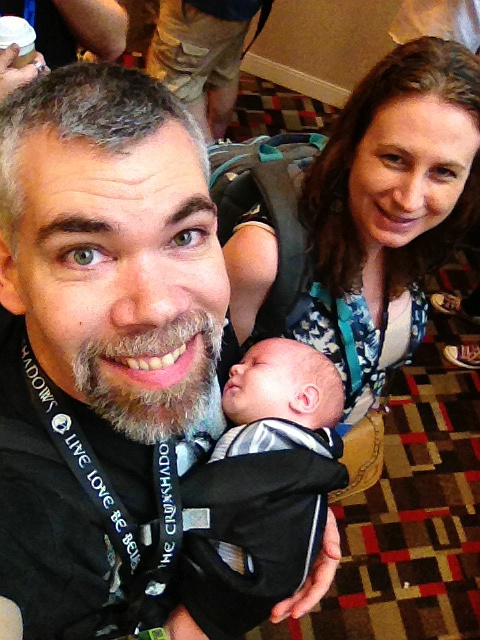
    Jennifer and I took ourselves and Griffin to DragonCon yesterday. It’s been our standard Labor Day weekend activity since 2005. This year was going to be a bit different as we’d decided last year that we were going to skip this DragonCon and go to WorldCon in San Antonio, instead. Alas, a certain someone put the kabosh on travel plans around now. So as we’d be in town we decided to head down there for an afternoon and evening to keep the streak going.

    Chris and Kristin

    We saw our friends Kristin and Chris Schierer who rocked their costume awesomeness as usual. We tortured poor Griffin by hauling his sleeping body around in a carrier all evening and taking crazy pictures of him and with him. Somewhere out there is a (staged) picture of me with a beer on his (covered) head. I’m sure it’ll turn up on facebook or flickr sometime.

    We had fun and we’re looking forward to being back for the whole weekend next year, this time with a one-year-old.

    More pictures up at the photo set. Including this one which is my favorite recent picture of the three of us.

    2013-09-01 14.22.45

  • Richat Structure

    Thanks to Astronaut Karen Nyberg I now know about this fascinating geological formation:

    The Richat Structure is in Mauritania, surrounded by the Sahara. It’s pretty cool.

  • Birthday Present to Me: Canon 600 EX RT Flash

    2013-08-25 15.24.40

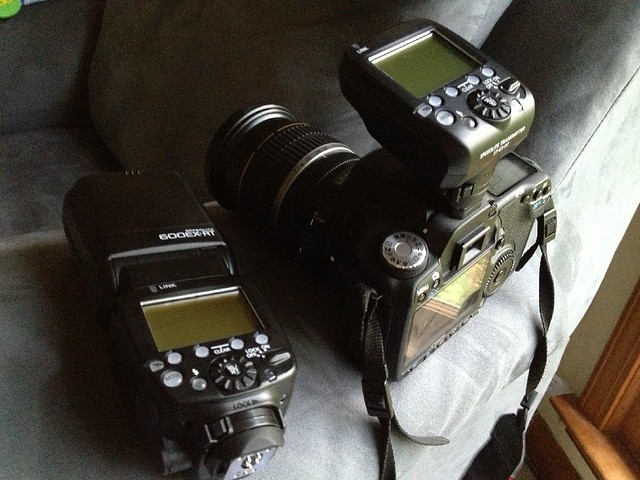
    For my birthday this year I bought myself some more camera equipment. Specifically a Canon 600 EX-RT Speedlite, the Canon ST-E3-RT radio transmitter that goes with it, and some various accoutrements. ((Rechargeable batteries, rechargeable battery recharger, light stand, light stand flash/umbrella/gimbal hanger-on-thingy.)) This begins my descent into the special hell that is known as flash photography.

    I have been an ardent supporter of the “never use your on-camera flash” school of thought. The only time you should do that is if you want a flat, blown-out snap of your friends at a bar. Otherwise, using your on-camera flash is the best way to ruin a good photo.

    The important phrase in there is “on-camera”. Using an off-camera flash opens up new realms of photography and also requires me to do something that I’ve resisted for a long time: study.

    I’m an amateur photographer; I make no bones about that. While I occasionally serve up what could be considered a good photo, I do that through quantity rather than quality. Thank god for digital photography. However, this flash thing I just bought was purchased so I could do studio-esque photography. This means that no matter how many shots I take, if the lighting sucks, it sucks and that’s it.

    I have a lot to learn.

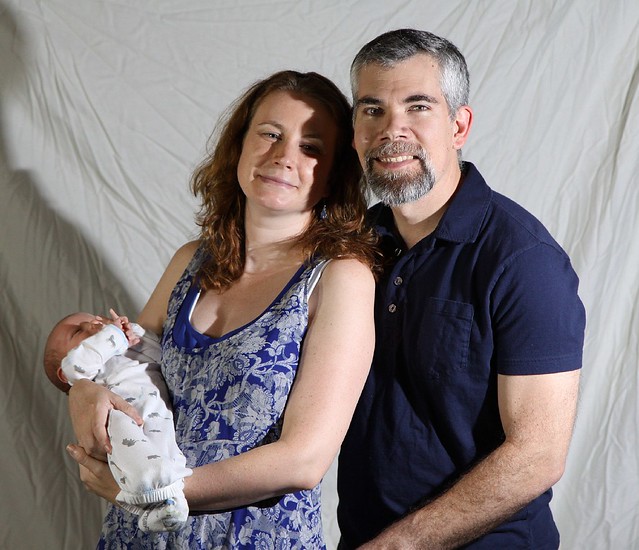
    For example: Bad Lighting #1 ((Note that I’m going to be concentrating on what’s wrong with these pictures, not what’s right. My wife and son are, of course, beautiful and wonderful. These photos will be part of an important life collection. They are, however, also part of an important photographic lighting lesson.))
    Light Bogarting

    First off, there’s Griffin’s pose with his “back, foul beast!” warding gesture, but with a timer, it’s hard to fix that. ((Don’t bug me about the condition of the backdrop. Sometimes you have to make do, and this is cheap and ironing was too much for my back yesterday.)) Then there is that horrible shadow on the backdrop. The fill lighting on the left side of our faces is not filled enough, and of course there’s me stealing the key light from Jenn.

    Bad Lighting #2
    Portrait Session

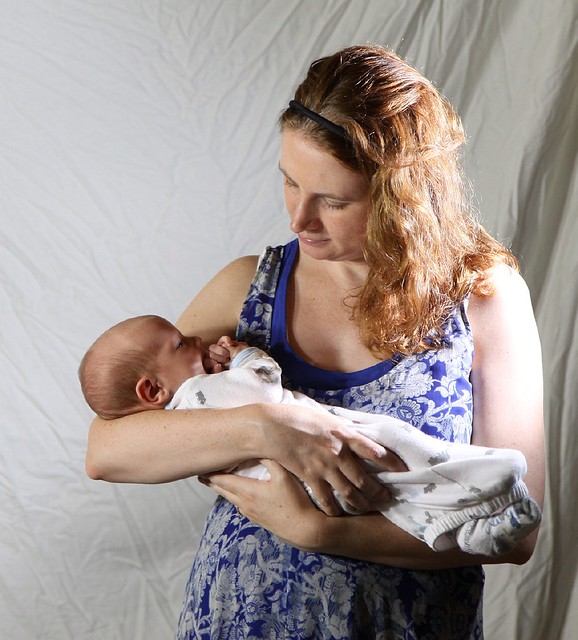
    Then there’s this one. I picked this as the front page image of the blog post I made yesterday, but honestly it’s one of the worse ones that I displayed. It made the cut because it’s the only one where Griffin’s face could be seen and he wasn’t warding off his demon parents.  There’s the sharp shadow of Griffin’s head on Jenn. There’s again the lack of a good fill light in the shadows on my face. There’s the little key-light spot that showing up on my right cheek. For some reason there weren’t any good defining shadows on Jenn’s face which makes it look flat compared to mine and Griffin’s. Etc.

    I could go on, but I won’t. This isn’t a tutorial.

    There are a number of great websites out there that give you tips and hints (here’s one). A Google search is all you need to get started. Or, I should say, all I need to get started. I will probably follow the old “see a good picture, then try to duplicate it” style of photography until I understand what I’m doing with the flash. I still haven’t gotten all the way through the manual yet.

    You can see some of the other setup or experimental shots I took recently in my flickr set related to flash. If nothing else, this will show how I’m improving (or not!) over time.

    Oh. One other thing. If you’re paying attention, you’ll note that I bought just one Canon 600 EX-RT flash. I would love to have two (or three or four) but the budget isn’t set up for that. Instead, I’m using two 150 watt clamp lights along with Alzo 27 Watt daylight-balanced light bulbs. In order to get enough fill light, without adding significantly to the exposure time, I may need to add another couple more. The nice thing about the clamp lights is that they’re easy to move around. The bad thing is that you have to jury-rig a stand for them, and the clamps don’t hold position very well. Despite the image at the link, I ended up up clamping them to the edges of an empty cardboard box and shifting that around.
  • We Took some Pictures

    Portrait Session

    Griffin, Jenn and I played with my camera equipment today.

    Portrait Session

  • Thoughts on Writing with Voice Recognition

    Siri Voice Recognition
    A long time ago I bought one of the first versions of Dragon Naturally Speaking. Or whatever it was called at the time. This was 1997. I remember trying it out and being frustrated by the fact I had to train it to understand my speech. Fast forward to 2010 when I got my first android device and started using voice to text conversion. I was always a little disappointed with the way Google’s conversion worked but it worked well enough for what I was using it to do. Then I replaced my android device with an iPhone 4S with Siri. I instantly fell in love with the Siri voice recognition, even though it occasionally has major meltdowns. Its ability to understand natural speech is wonderful and helps me take down notes and thoughts which I then front to other task managers.

    I understand Dragon NaturallySpeaking works exceptionally well nowadays. I know there are full-time authors who use it exclusively to write their books. David Weber is an example of this. With Griffin in the house, I find much less time to sit down and draft blog posts. I do not have two hands free even when he’s sitting there next to me just being a squirmy baby. As everyone keeps telling me, having a baby changes everything. Including, I guess, how I’m going to write on my blog.

    Unfortunately, using voice recognition is going to introduce a competency problem.

    I’ve never had the opportunity, or occasion, to do a lot of dictation like you see in old movies with the boss dictating letters to the secretary. I have grown up in a situation where all of my first drafts are done with a word processor, and the final draft is done by modifying that draft using cut and paste and other tools that came about with the advent of the computer. I have learned through experience how to draft a document by thinking and typing; by editing sentences on the fly and by cutting and pasting as necessary. Moving whole paragraphs around is something I’m used to. I’m not used to stream-of-consciousness composing from beginning to end.

    I realize that the dictation/voice recognition element is merely the first step in composing a document, with editing and rewriting to follow, I still find it a bit intimidating to try. For example, about half of this posting was done through dictation to Siri. You may be able to tell which half. I certainly can. Siri, while a good voice translator, does not allow for the long-winded sentences that I like to use. You have to stop occasionally so Siri can do the translation. The PC-based systems don’t have that problem, but there’s a usability issue: I’m not on my PC very much anymore. It’s a hassle to open it and boot up merely to do a blog posting. A PC-based voice recognition software would be useful to me if I were writing longer documents, but knowing myself, I think I’ll probably be doing a lot of Siri-dictation in the near future.

    Given that I also own a Chromebook, I am interested in a web-based application that would allow me to do voice-to-text conversion. This would allow me the “Hey, I need to write this down NOW!” ability that turning on my PC does not. Unfortunately, it doesn’t look like there are any available that have the features that Dragon does ((There are services like TalkTyper, which works very well, but I’m distrustful of a service I’m not paying for. I would also want the feature that I’m working within whatever wordsmithing application I’m using, rather than a third party website that I then have to copy/paste.)). The Google voice recognition seems to be only for Google searches. So looks like I’ll be using Siri, or nothing. Or, it may be this is all unnecessary rambling as Griffin may change his habits to allow for more writing time for me. We’ll see.

  • New Job Soon

    Whiteboard Windows

    As I mentioned last week, I am transitioning from my old job to a new one. I start the Tuesday after Labor day, which is five short days from now. For the time being, I’m staying home, spending time with Jenn and with Griffin. I’m doing some prep-work for the new job, but mostly that involves catching up on professional literature and getting my mind in the zone to be off and running as soon as Tuesday rolls around.

    What is the new job? I’m not telling yet. I’ll let you know on Tuesday. There’s no particular reason for the secrecy other than I like my suspensefulness. I will say that it’s a step up in responsibility, doing the same transportation stuff that I’ve been doing. The office is in Midtown Atlanta, about a block from the High Museum, which will be convenient as Jenn and I are members and I can walk over to enjoy Art at lunch.

    The new office location is a shorter commute than driving to Norcross every day, which will make me much happier. I’ll spend (approximately) 2.5 fewer hours in the car per week. I can also use transit to commute which I’m unreasonably delighted about. I don’t think I’ll be using transit regularly, but it’s available if I need it. In my previous office location, I couldn’t get there from here without a car no matter what the situation.

    As I said, the job starts next Tuesday. One of the coincidentally nice things about Griffin arriving when he did is he caused us to not attend Dragon Con this year. Instead of the full Dragon Con experience which involves very little sleep and a lot of energy and stimulation leading to an exhausted Bill the week after, we’ll be doing normal weekend things and I’ll be well-rested for my first day of work. We plan to go down to the Con on Sunday evening, but that’s just one night, not the whole enchilada.

    Until Tuesday, though, I’m just chillin’ with my peeps, enjoying the time spend with my family and learning how to take care of the little bundle of joy and poop that is Griffin.

  • Griffin: 3 Weeks and a Day

    Monkey Pose with Griffin

    Like several of our friends have done, we’ll be taking pictures of Griffin over time in order to display a sense of growth. In order to scale him, we have the wonderful cuddly monkey that Jess gifted to him.

    The monkey does an excellent job taking care of Griffin while we’re not watching.

    Monkey Taking Care of Griffin

    More images of three-week old Griffin at the Flickr set.

  • Moving On to New Pastures

    Moreland Altobelli Safety Hat

    Today is my last day at Moreland Altobelli. I started back in April of 2009 and it’s been an adventure and then some.

    I was the project manager of the first-in-Georgia, award-winning Ashford Dunwoody Diverging Diamond Interchange; I conducted a number of traffic studies that led to other important projects being constructed; I built signals and recommended safety improvements; I worked with good people and did good things here for the state of Georgia. I learned, and did, a lot of things while I was here.

    But, now it’s time to move on. I’m going to spend a couple weeks at home with the Griffin and Jennifer, and then start my new job on Septmber 3rd. It’s a brand new adventure, on top of the brand new adventure we already started this month. 2013 is an exciting year!